
It doesn't take long to fill up the internal storage (which is just under 825GB) once you've installed games like Call of Duty, FC 26, and God of War.
There are few things more annoying than sitting down to play, only to discover the console is full. Then begins that tiring dance: You have to choose which game you can bear to delete, and then you have to wait for the new game to download. Even with fast internet, redownloading large games can take a long time when you want to play them later.
Don't waste time downloading: The good news is that you don't have to put up with this. It is very easy and relatively cheap to expand the storage space, both to play more games simultaneously and to store older games without having to download them from the internet again.
Here we go over how to do this and why our ADATA products are a great solution to the "download waiting time."
Option 1: Internal Expansion with M.2 SSD
To play PS5 games directly from the extra storage, you need to install an M.2 NVMe SSD into the console. Sony designed the console with a dedicated bay for this, and you do not need to void the warranty to expand the storage.
Which drive should I choose? We specifically recommend SSDs from ADATA.
-
Speed: The PS5 requires high speed (Gen4). ADATA Legend drives are lightning-fast, meeting and exceeding Sony's requirements.
-
Cooling: ADATA drives come with a heat spreader. This is a major advantage in the tight space of the PS5 to disperse heat so the drive doesn't have to slow down (thermal throttle) under heavy load.
-
Types: We have the right drive for you, whether you are looking for the best price or the highest speed.
How to install the drive (Short Instructions):

1 Make sure you have all the latest software updates. Then turn off the console completely and unplug all cables.
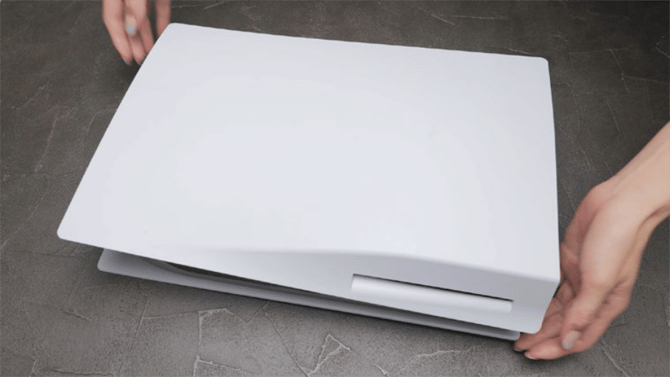
2 Lay the console on its side (with the PS logo facing down).

3 Gently lift the corner of the white plastic (near the disc drive if you have one) and slide the cover off.
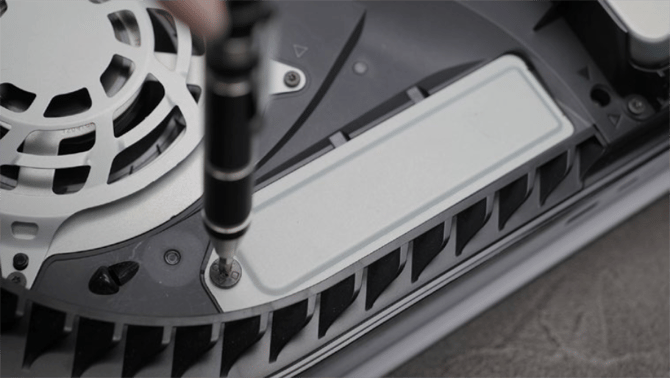
4 There you will see a steel plate over the expansion tray. Unscrew it.
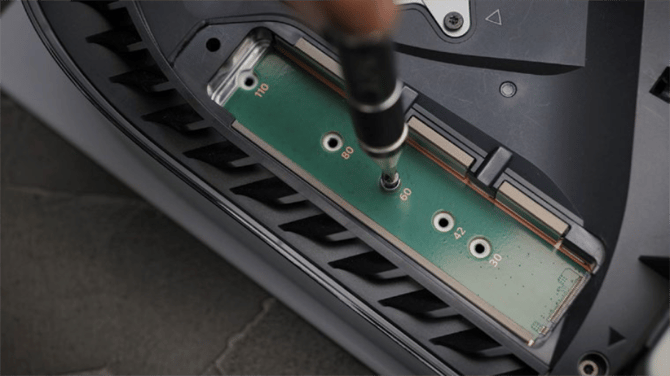
5 When the green expansion tray is exposed, loosen the screw and the small standoff (spacer) and move it to the hole that matches the length of the drive.
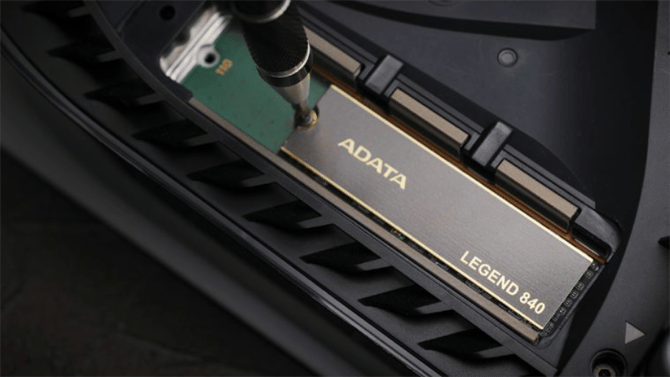
6 Insert the ADATA drive into the slot and secure it with the screw.
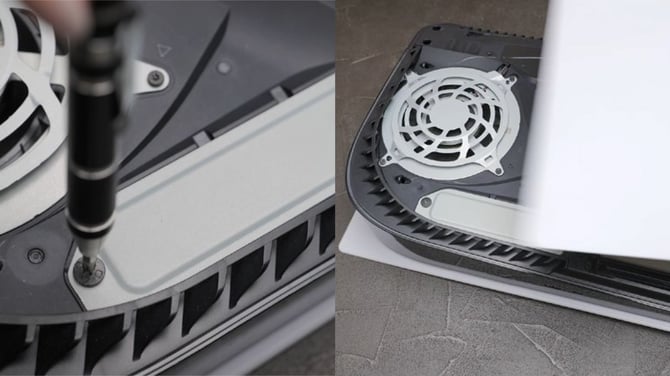
7 Close the SSD tray, put the back plate back on the console, reconnect the cables, and turn on the console.
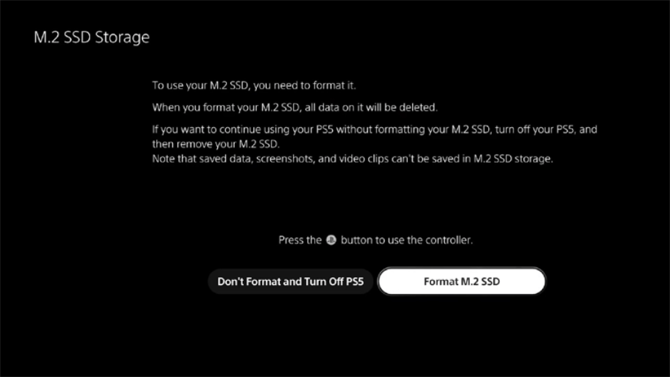
8 The console will ask you to "format" the drive. Follow the on-screen instructions, and once finished, you are ready!
See also the installation video here (in Icelandic)
Option 2: "Cold Storage" with an External Drive
Did you know you don't necessarily have to expand the internal memory to store games? You can use an external SSD drive or fast USB sticks.
This is called "Cold Storage" for PS5 games. You cannot play PS5 games directly from an external drive, but you can store them there. It takes much less time to move a game from an external drive to the console than to download it again from the internet.
PS4 directly from external: You can play all PS4 games directly from the external drive!
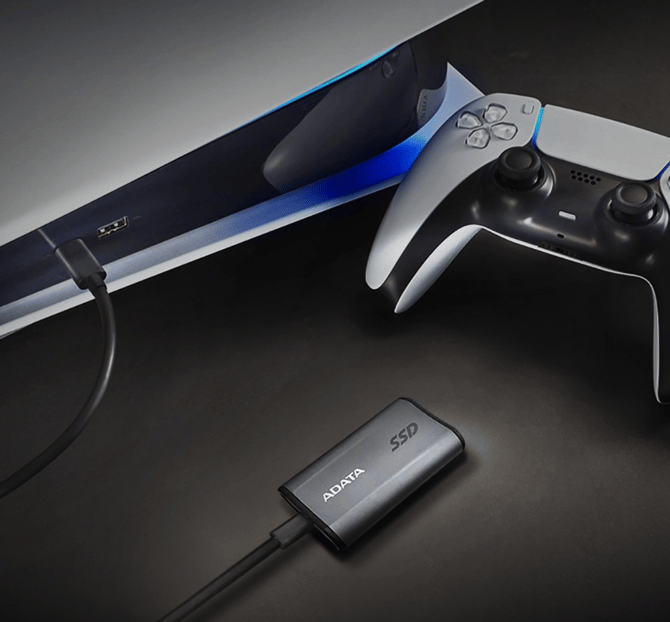
We have a large selection of compact and fast solutions from ADATA that you can view here.
Conclusion: Whether you want to play the latest games directly from a new SSD or want an economical way to store your collection (external SSD), we have the right gear from ADATA.