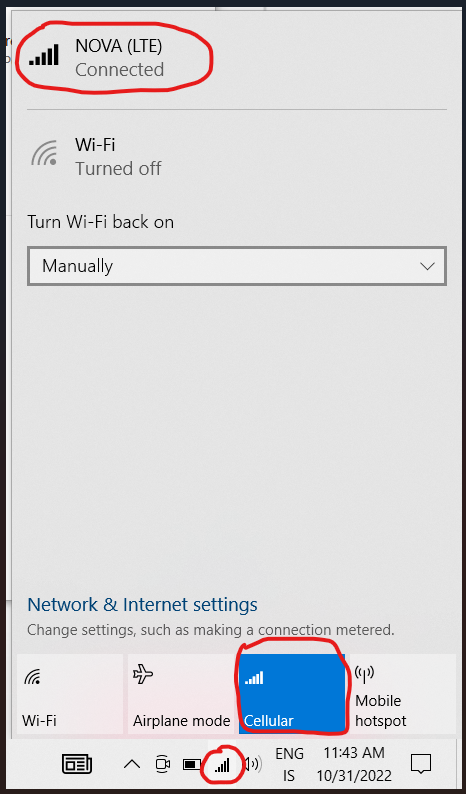
1.🖱️ Right-click the Windows button in the taskbar and go to Settings ⚙️ 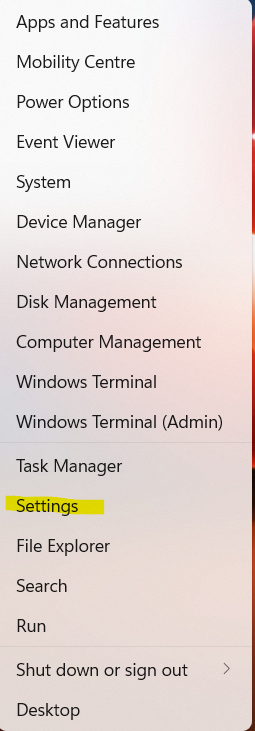
2 .🌐 Go to “Network & Internet” 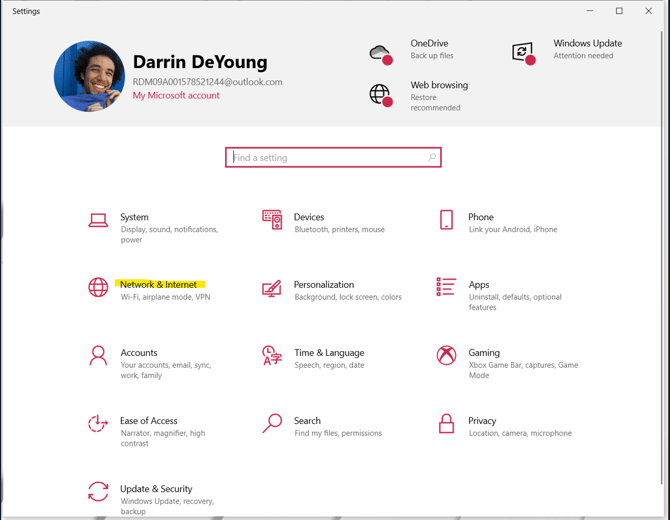
3. 📶 Select “Cellular” and then go to “Advanced options” 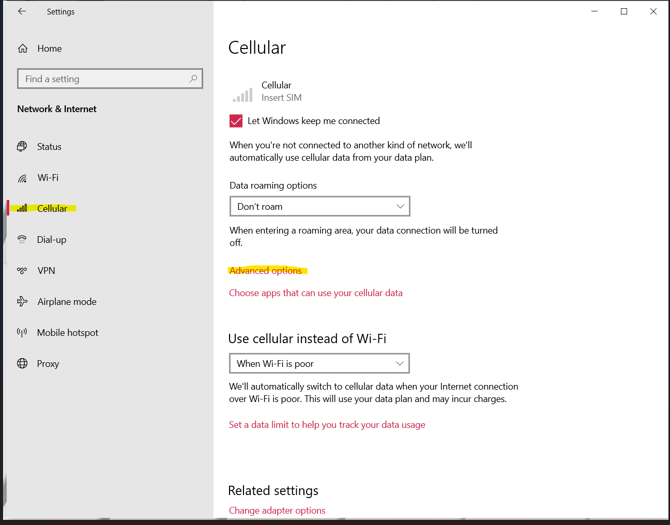
4. ➕ Click on “Add an APN” 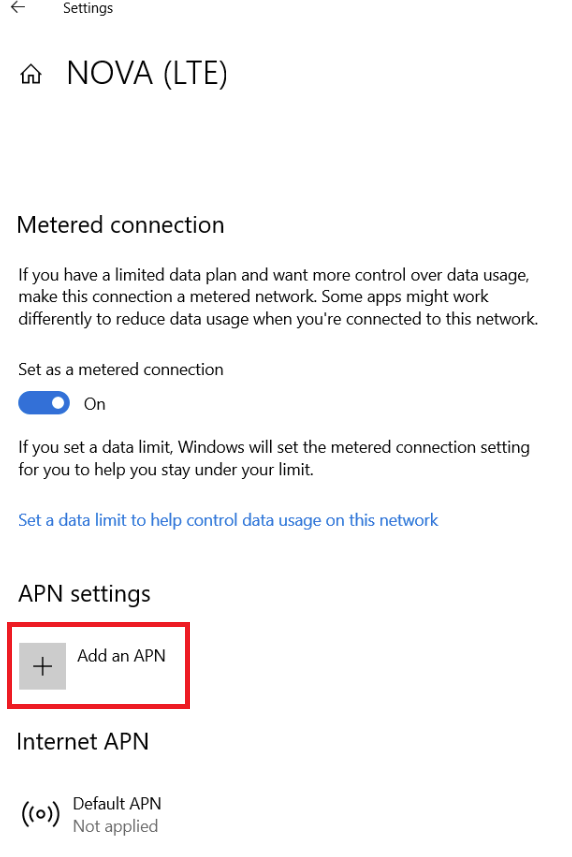
🔧 APN Settings:
- 🏷️ “Profile name” can be anything – e.g., the name of your mobile carrier.
- 🌍 In the “APN” field, enter the appropriate settings based on your carrier.
- 💾 Then click “Save”
Nova: net.nova.is

Vodafone: gprs.is

Síminn: internet.is

Hringdu: internet
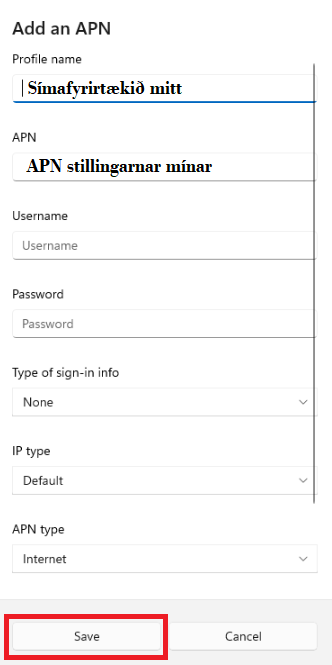
✅ Once the settings are saved, your computer should detect the mobile network and be able to connect to it. 👏
💡 To confirm the computer is using mobile data, it's a good idea to turn off Wi-Fi if it's connected to another network.